
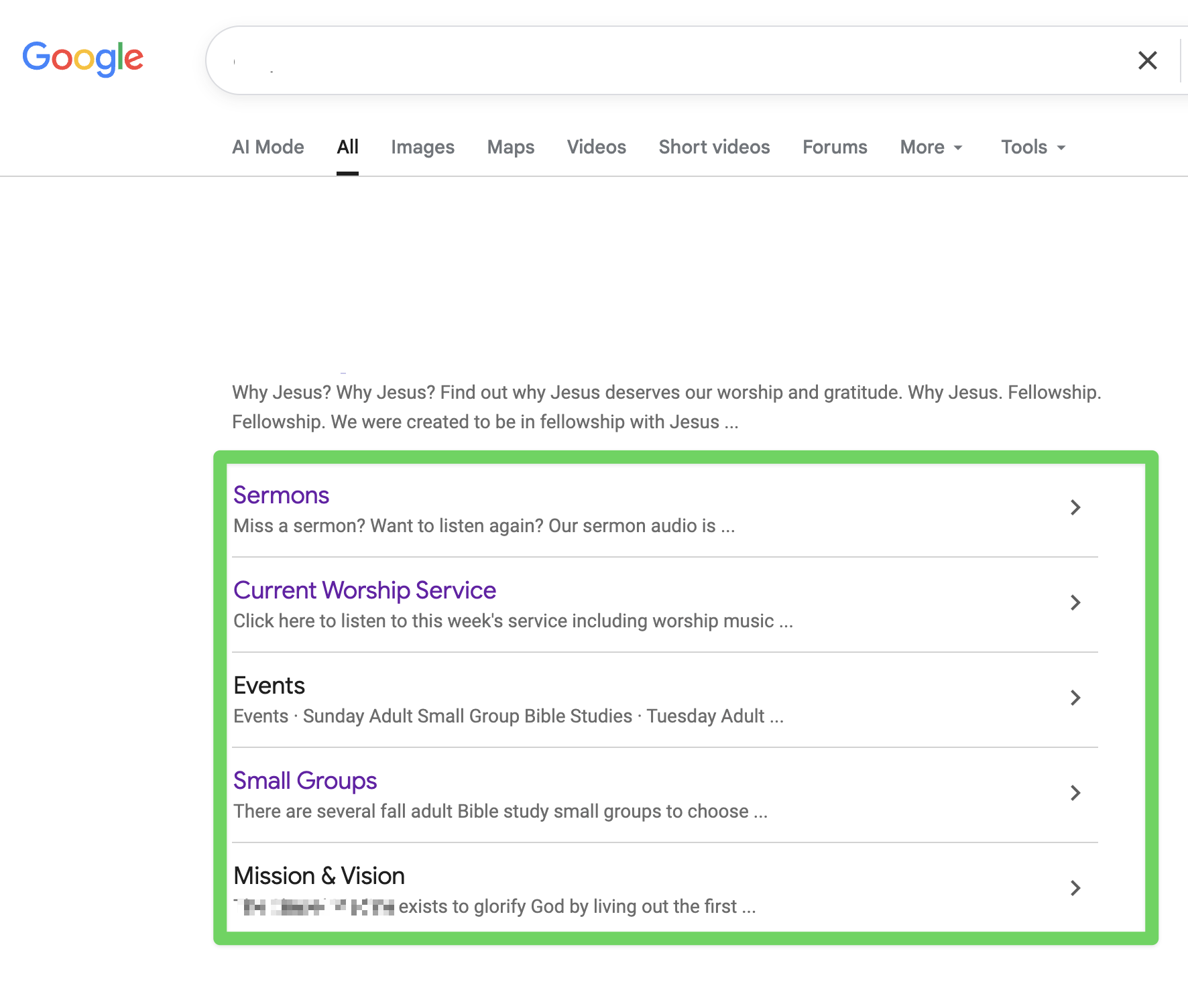
The extra links beneath your main Google search result—such as “Sermons” and “Current Worship Service”—are called sitelinks. They help visitors go directly to pages within your website.
Google generates these links automatically. Website owners cannot directly edit their destinations or choose which sitelinks appear. However, updates to your website can help Google recognize the correct pages. Learn how Google sitelinks work.
If a sitelink takes visitors to outdated information, the next step depends on what needs to change:
- The page is correct, but its content is outdated. Update the content or links on that page. If the page address stays the same, visitors using the existing Google sitelink will see the updated content once it is published.
- The page has permanently moved or been replaced. Submit a ticket and ask us to set up a 301 redirect from the old address to the relevant replacement page. This automatically sends visitors to the new location, even while Google still displays the old link. Google also uses the redirect to understand that the page has moved. Read Google’s guidance on redirects.
- You want different pages to appear beneath your search result. Make those pages easy to find through your website’s navigation and relevant internal links. Use clear page titles, headings, and link text. These improvements help Google understand your site, but they cannot guarantee particular sitelinks. See Google’s sitelink recommendations.
After making changes, update any website menus, buttons, or other links that still point to the old address.
Someone with owner or full-user access to your website’s Google Search Console can also request indexing of the updated pages through the URL Inspection tool. Google says crawling can take a few days to a few weeks. This is not a guaranteed timeframe for sitelinks to change, and requesting indexing does not guarantee an update. Learn about requesting a recrawl.
To request help, submit a support ticket with:
- The sitelink’s name, such as “Sermons.”
- The page address it currently opens.
- The full page address visitors should reach instead.
- Whether the existing page is being replaced or still needs to remain available.