
If button labels in your church’s app overlap or appear cut off, try reducing your iPhone’s text size. Larger text can take up more space than the buttons allow.
Adjust the text size
- Open Settings on your iPhone.
- Go to Appearance → Text Size.
- Choose a slightly smaller text size.
- Return to your church’s app and check the buttons. If needed, reduce the text size another step until the labels are fully visible.
Choose a size that remains comfortable to read. Changing this setting may also affect text in other apps. If you need larger text, contact us for help.
What to look for
Examples from two phones. Check that “Series View” and “All Sermons” are readable and are not hidden behind the bell icon.
| Clipped button labels | Fully visible button labels |
|---|---|
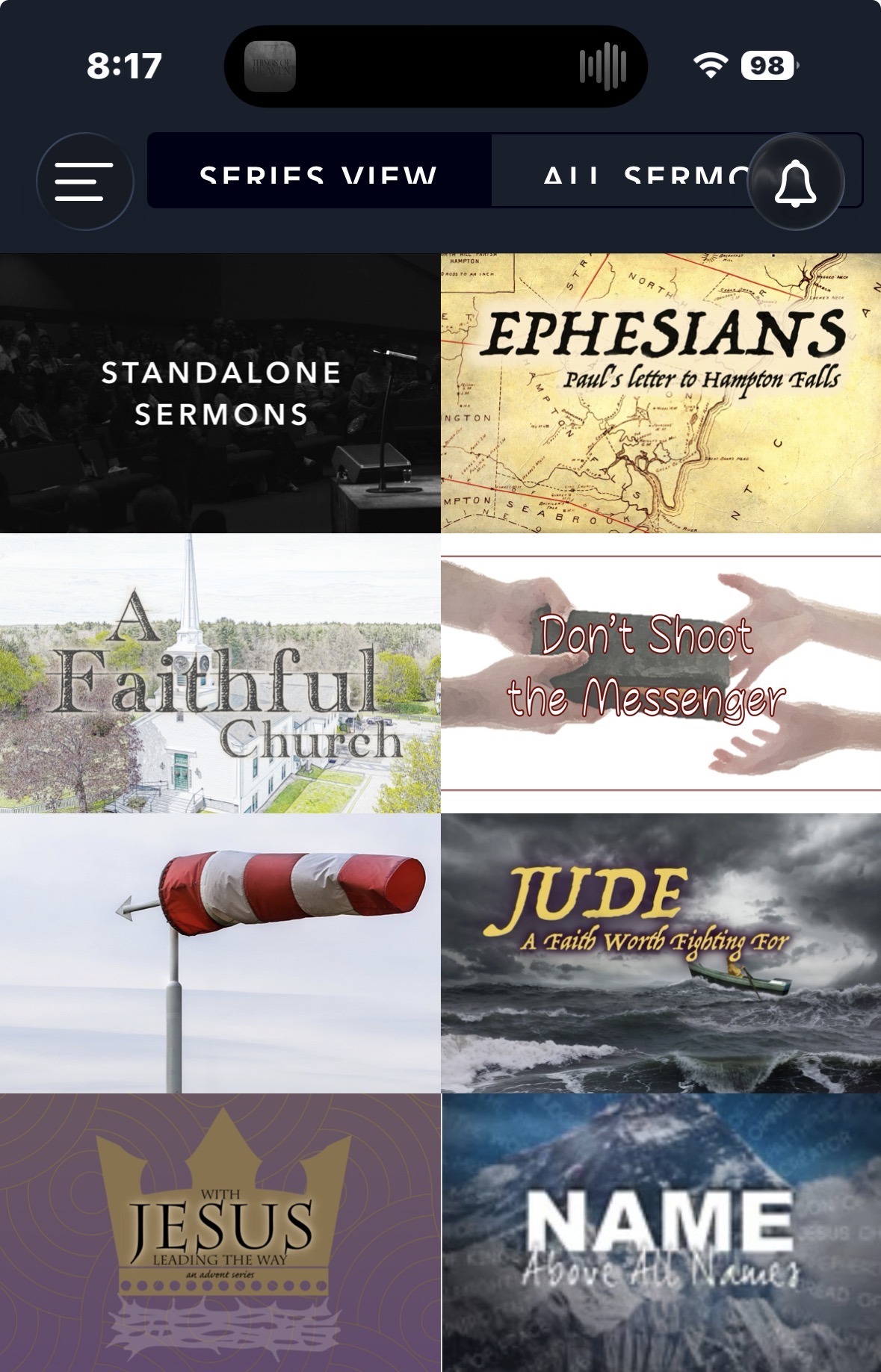 | 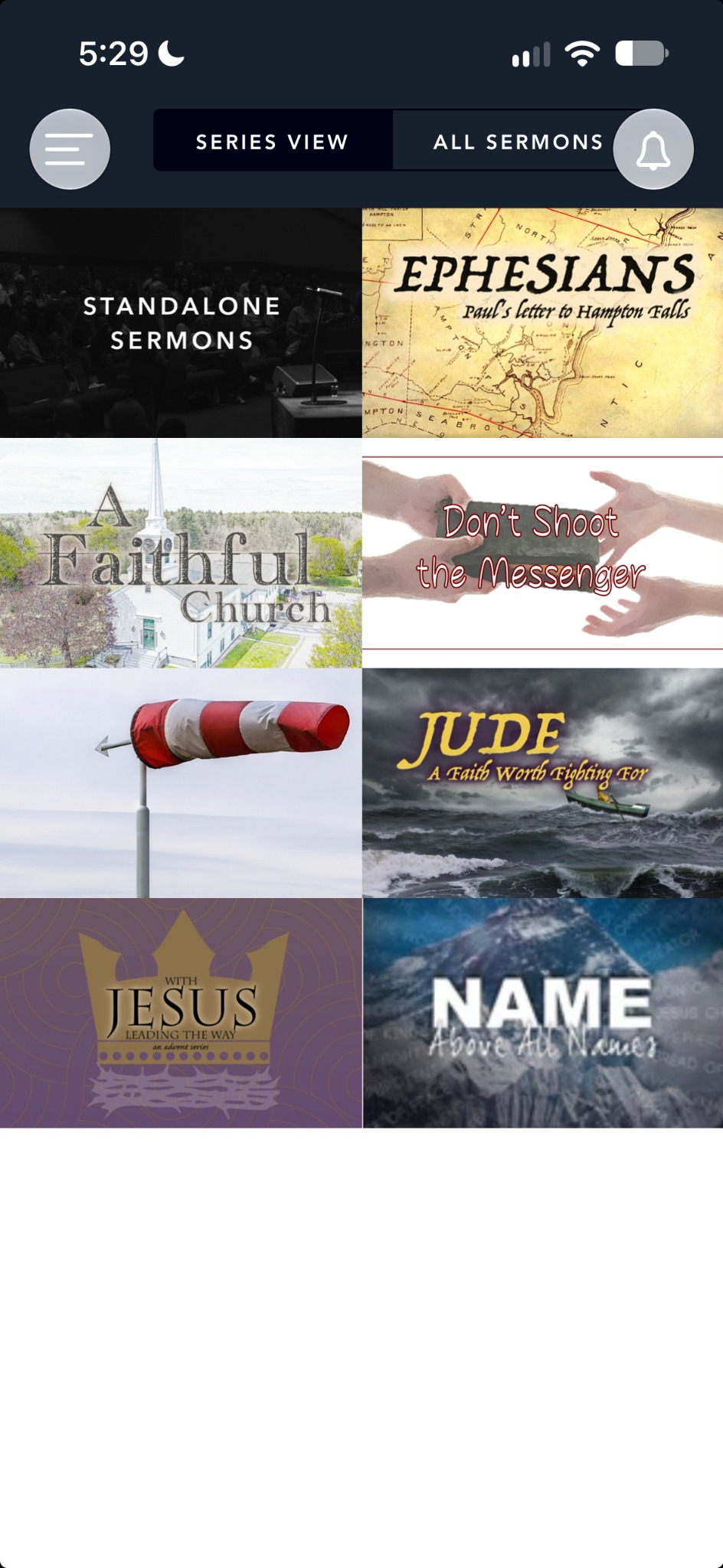 |
Still having trouble
If the buttons still overlap, or a smaller text size is difficult to read, contact Church Plant Media support. Include a screenshot, your iPhone model, and your iOS version so we can investigate.